
How do I download Overall Coaching Report?
Download Overall Coaching Report
This report summarizes all coaching activities across all users.
Steps:
- Log in to the platform
- Click the Editor dropdown menu
- Select Coaching
- Click View Coachings
- Click the Hamburger menu
-
Select Overall Coaching Summary Report
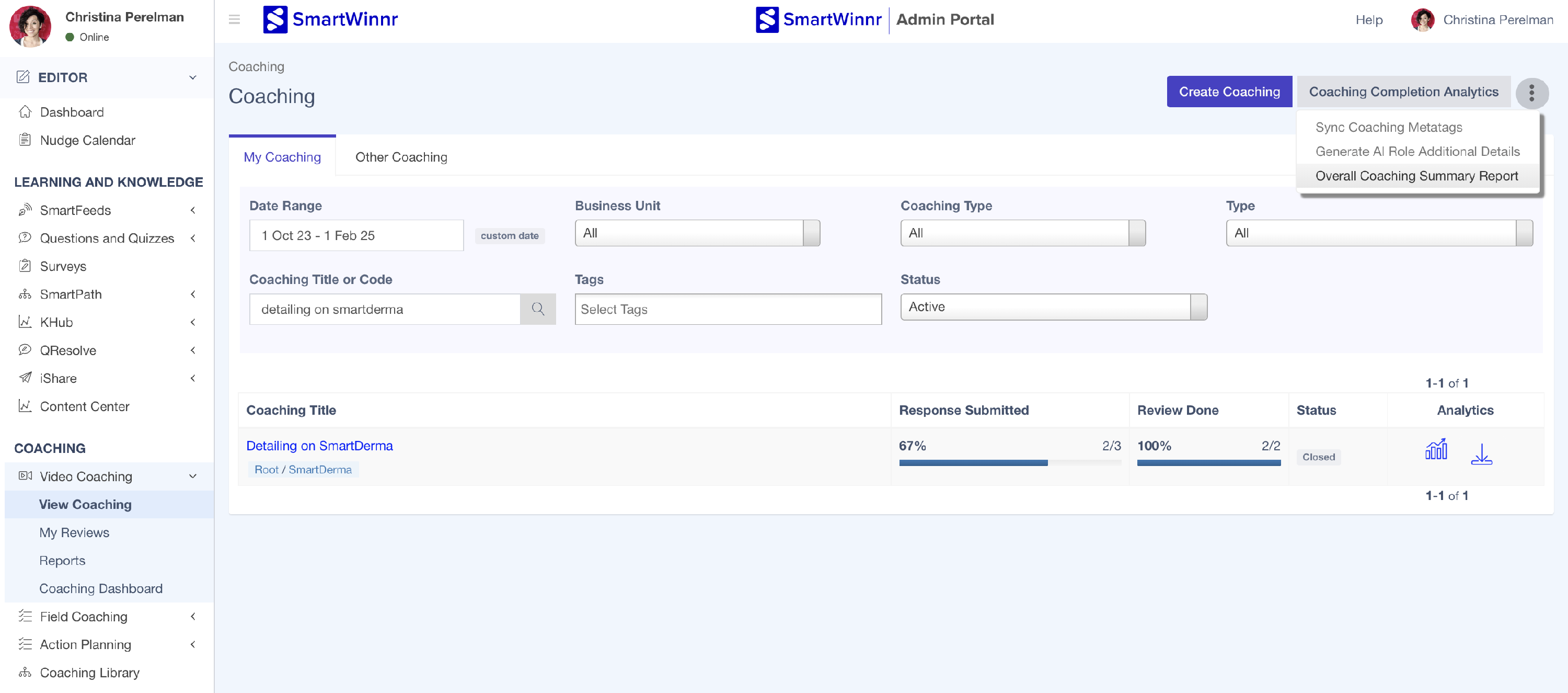
Download Overall Coaching Summary Report -
Apply desired filters - Metatags, Date range (if required) and Click Download
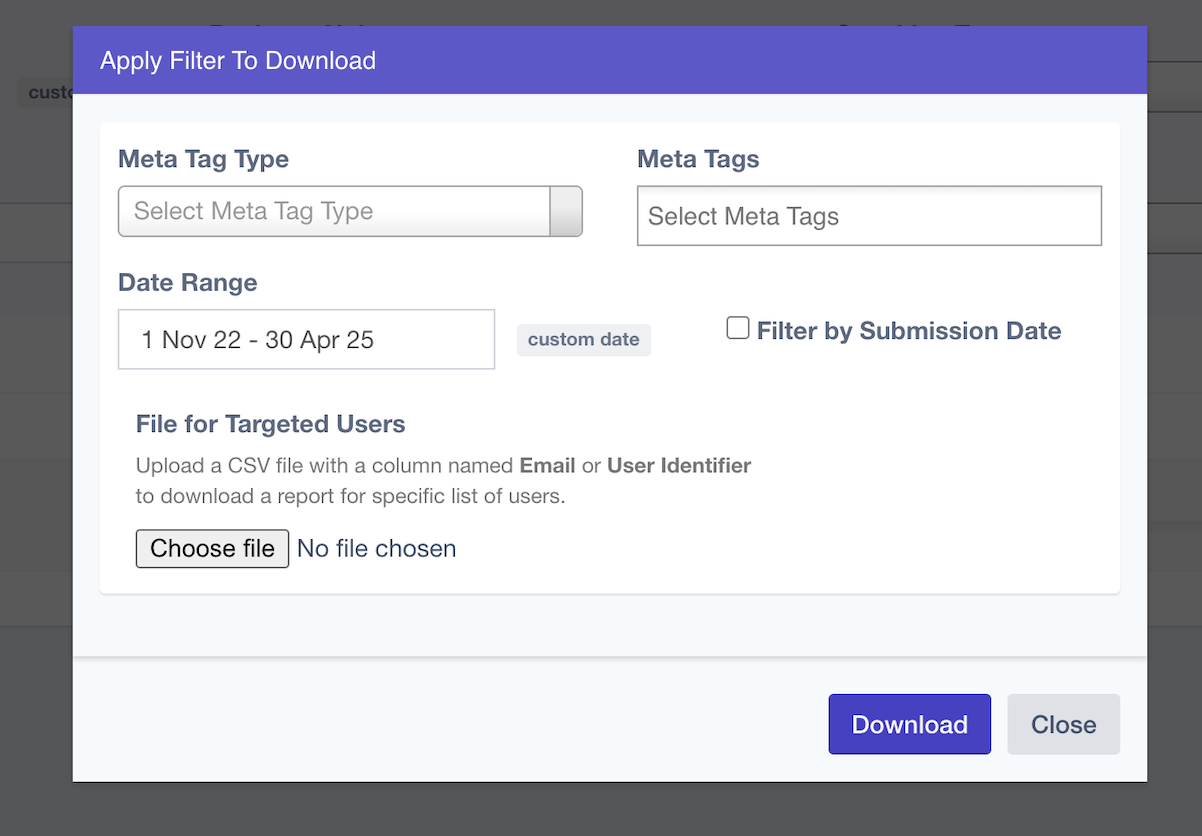
Apply desired filters & download - Go to Reports → Generated Reports
-
Locate your report and click the download icon to save it to your computer
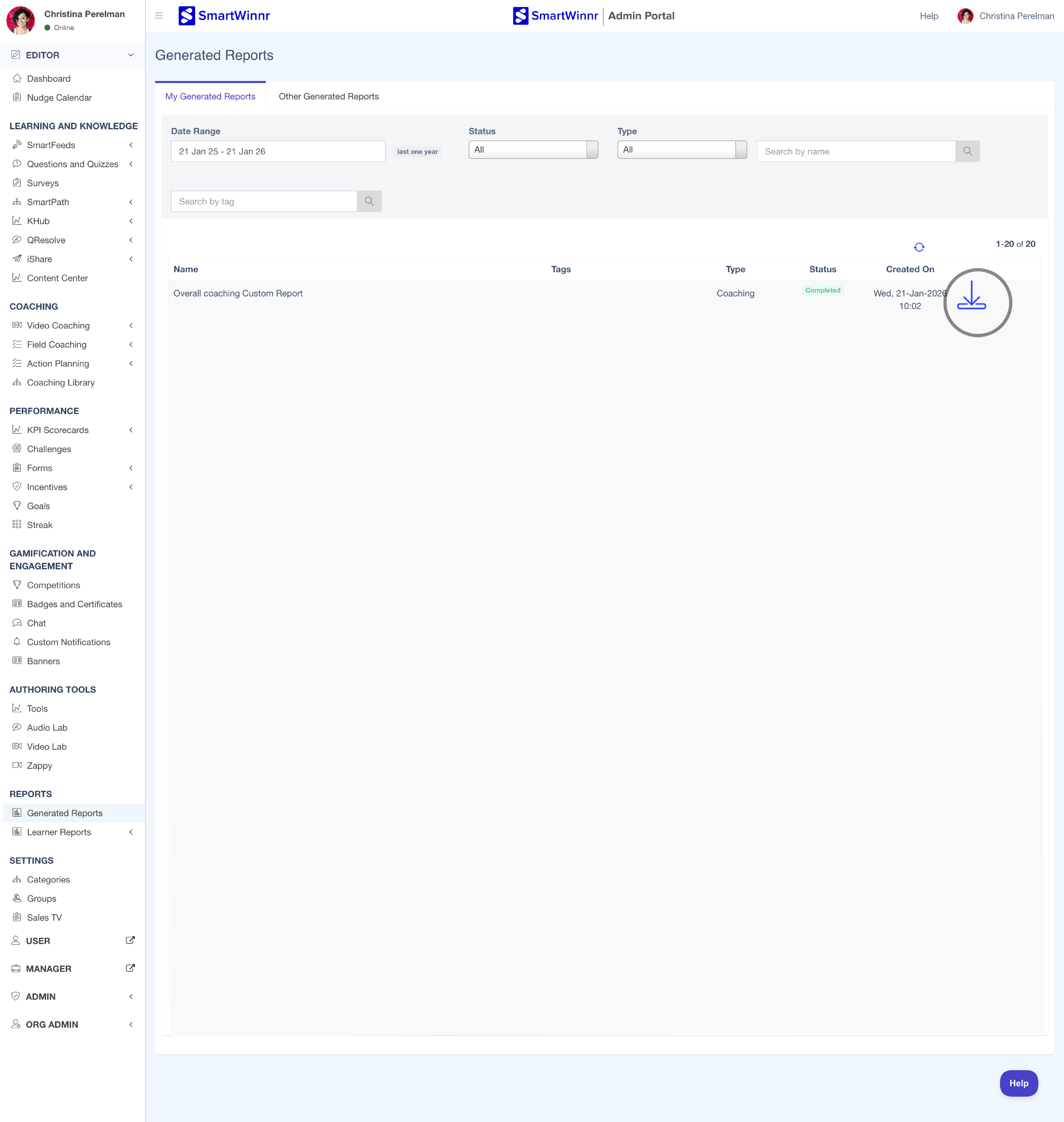
Download report under Generated Reports
